How Can I Spy on a Cell Phone without Installing Software on the Target Phone? 7 Methods Compared

If you're wondering how I can spy on a cell phone without installing software on the target phone, the answer depends on the device type, available account access, and the kind of information you want to monitor.
While completely remote monitoring is possible in some situations, most no-installation methods only provide limited access to location data, backups, or account activity.
This guide compares the most effective options, explains their requirements, and highlights the limitations of each approach.

| Methods | Remote Access | Installation Required | Data Available | Best For |
|---|---|---|---|---|
| SafeMyKid | Yes | iPhone: No Android: One-time setup |
GPS, Calls, Messages, App Activity | Users needing comprehensive monitoring |
| iCloud Monitoring | Yes | No | Backup data, Location, Some Activity | iPhone users with iCloud access |
| Google Find My Device & Timeline | Yes | No | Location History | Free Android location tracking |
| Cloud-Based Monitoring Apps | Yes | No (depending on device) | Messages, Calls, GPS | Remote monitoring without frequent access |
| Carrier Tracking Services | Yes | No | Location | Family location tracking |
| Call & Message Forwarding | Partial | No | Calls and SMS | Basic communication monitoring |
| Bluetooth & Wi-Fi Analysis | No | No | Limited Technical Data | Advanced technical users |
Is It Possible to Monitor a Cell Phone without Installing Software?

The short answer is yes, but with limitations.
Most phone monitoring solutions require some level of interaction with the target device. While it is possible to track a phone without installing software, these methods usually rely on cloud-based tracking or built-in device features.
If you're looking for a free way to monitor an Android phone without installing an app, it's important to understand that Android devices usually offer fewer cloud-based tracking options compared with iPhones.
For Android, physical access is often required at least once to set up monitoring. Below, we compare one comprehensive monitoring solution and six common no-installation methods.
Important: Phone monitoring laws vary by country and region. Always make sure you have proper authorization or consent before accessing another person's device, accounts, or private information.
A More Comprehensive Monitoring Option: SafeMyKid
Among the methods discussed above, cloud-based monitoring platforms offer the widest range of tracking features. SafeMyKid combines location tracking, activity monitoring, and parental control tools into a single dashboard, making it suitable for users who need more than basic location visibility.
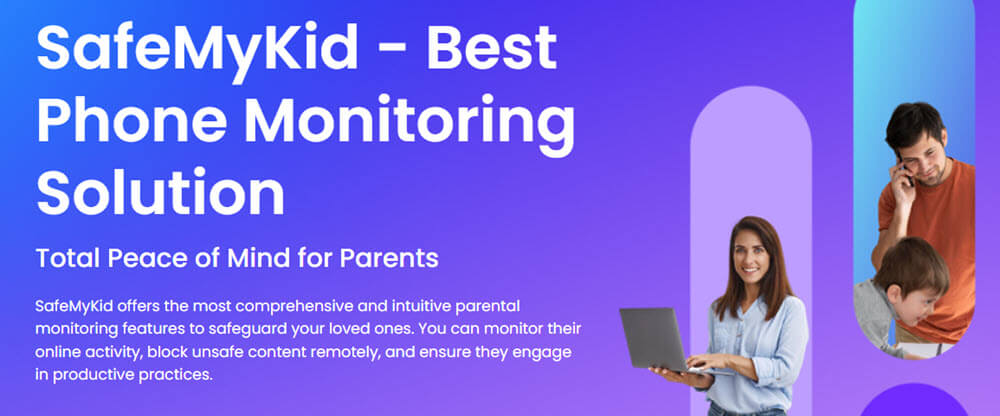
Why Choose SafeMyKid for Remote Phone Monitoring
When it comes to monitoring phone activity without installing additional software, SafeMyKid provides a reliable and user-friendly solution. Here's why:
- No App Installation Required for iPhone Monitoring– SafeMyKid uses iCloud-based access for supported iPhone monitoring features without requiring an app installation on the device.
- Advanced Tracking for Android– While Android devices require a one-time installation, the app allows for comprehensive monitoring without continuous access to the target phone.
- Background Operation– Once configured on an Android phone, SafeMyKid runs in the background and allows users to manage monitoring features from their dashboard.
- Real-Time Monitoring– You can track calls, text messages, GPS location, and even social media activity in real time, ensuring you’re always up-to-date.
SafeMyKid offers a secure and easy way to monitor without the need for physical access to the target device, providing peace of mind with its trusted features.
How to Set Up SafeMyKid for Remote Phone Monitoring
To begin monitoring a cell phone without installing software on the target device, SafeMyKid makes the process simple and straightforward. Here's how you can set it up for both iPhone and Android:
How to Monitor an iPhone Without Installing an App
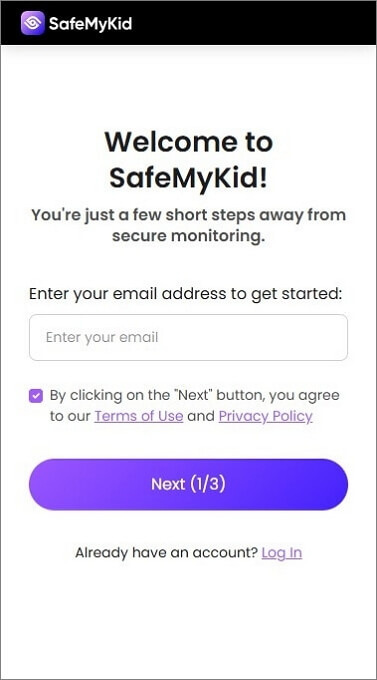
Step 1. Sign up
Create an account on SafeMyKid’s platform
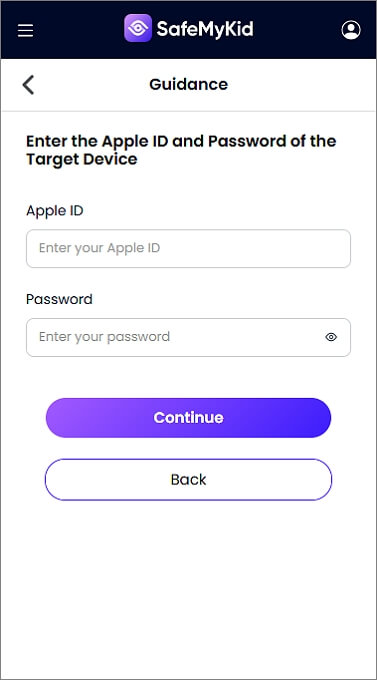
Step 2. Input The Target’s iCloud Credentials
Enter the iCloud login details of the target phone.
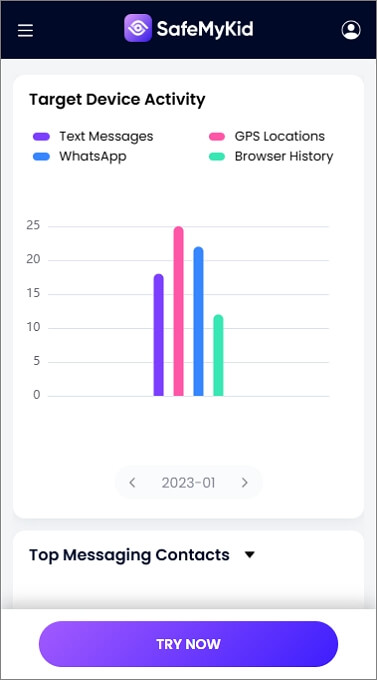
Step 3. Start Monitoring the iPhone Remotely
Start monitoring calls, messages, and GPS location in real-time from your SafeMyKid dashboard.
How to Monitor an Android Phone Remotely
Unlike iPhone cloud-based monitoring, Android monitoring usually requires a one-time setup because of Android security restrictions.
Step 1. Sign up
Create an account on SafeMyKid’s website.
Step 2. Install SafeMyKid on The Target Android
Download and install SafeMyKid on the target device. Follow the setup instructions to configure the app and enable tracking features.
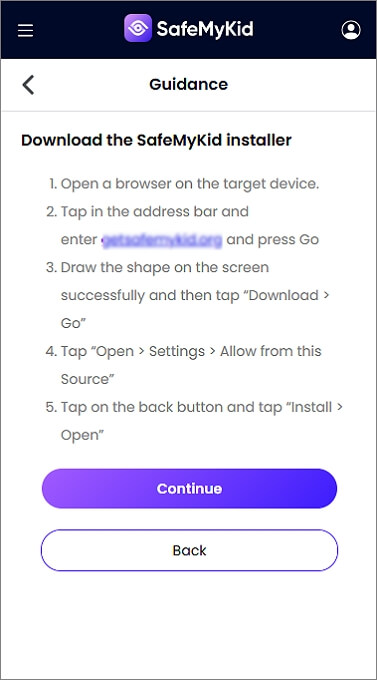
Step 3. Spy on an Android Phone
Start monitoring calls, messages, and GPS location in real-time from your SafeMyKid dashboard.
SafeMyKid offers a seamless setup for both iPhone and Android devices, allowing users to monitor phone activity remotely without constant access.
Unlike basic tracking methods, SafeMyKid provides broader monitoring features through a centralized dashboard, making it easier to manage Android and iPhone activity remotely.
6 Other Ways to Monitor a Cell Phone without Installing Software
If you're looking for ways to monitor a cell phone without installing software, several options are available depending on the device type and monitoring needs.
Comparison of Common No-Installation Phone Monitoring Methods
| Methods | Works Remotely | Setup Requirement | Need Credentials | Messages | GPS | Calls |
|---|---|---|---|---|---|---|
| iCloud Monitoring | ✓ | No app installation iCloud access required |
✓ | ✓ | ✓ | ✓ |
| Google Find My Device & Timeline | ✓ | No installation Google account access required |
✓ | ✗ | ✓ | ✗ |
| Call & Message Forwarding | Partial | Initial device access required | ✗ | ✓ | ✗ | ✓ |
| Carrier Tracking Services | ✓ | Carrier account setup required | ✓ | ✗ | ✓ | ✗ |
| Cloud-Based Monitoring Apps | ✓ | Depends on device Cloud sync setup required |
✓ | ✓ | ✓ | ✓ |
| Bluetooth & Wi-Fi Analysis | ✗ | Technical setup required | ✗ | Limited | Limited | ✗ |
1. iCloud Monitoring (for iPhones Only)
Apple’s iCloud system enables users to back up data, offering a convenient way to track an iPhone remotely, including messages, call logs, and location. This method requires the iCloud credentials of the target phone.
How It Works:
- If the target phone has iCloud backups enabled, you can access location data, messages, and other activity.
- You need the target Apple ID and password to log in remotely.
Pros: 
- No need to install anything on the target phone.
- Works from any device with an internet connection.
Cons: 
- Requires Apple ID credentials.
- If two-factor authentication (2FA) is enabled, it may block access.
- The person may notice unauthorized logins on their iCloud account.
2. Google Timeline & Find My Device (for Androids Only)
For Android users, Google offers built-in tracking tools like Google Timeline and Find My Device, which enable location tracking without the need for third-party software, as long as the Google account is linked to the device.
How It Works:
- Google Timeline stores location history if GPS and location services are enabled.
- Find My Device can track a phone’s real-time location and remotely ring or lock it.
Pros:
- Free and easy to use.
- No software installation is required.
Cons:
- Requires Google account credentials.
- No access to calls, texts, or app data.
3. Call & Message Forwarding
Call and message forwarding enables you to receive copies of the target phone’s incoming calls and text messages, allowing you to monitor communication remotely without installing additional software on the device.
How It Works:
- On Android, some apps enable SMS and call forwarding.
- On an iPhone, call forwarding can be set up via settings.
Pros:
- Works on both iPhone and Android.
- No need to install third-party software.
Cons:
- Requires initial access to set up.
- Easily detected by the target user.
4. Carrier-Based Tracking Services
Many mobile carriers provide built-in location tracking services, allowing users to track a phone’s whereabouts without the need for third-party apps or software installations, often through the carrier’s account management platform.
How It Works:
- Verizon, AT&T, and T-Mobile provide family tracking services.
- You must be an authorized account holder to enable tracking.
Pros:
- Legal and reliable.
- No software installation is required.
Cons:
- Requires consent from the target user.
- Limited to location tracking only.
5. Cloud-Based Monitoring Apps (No Installation Needed)

Some monitoring apps offer cloud-based tracking, allowing you to monitor calls, messages, and locations without installation. However, they typically require the target phone's login credentials to sync data and access the information remotely.
How It Works:
- These apps sync data from iCloud or Google Drive backups.
- They provide access to messages, call logs, and GPS location.
Pros:
- No physical access is required after setup.
- Provides more data than basic tracking features.
Cons:
- Usually requires a paid subscription.
- If 2FA is enabled, access may be blocked.
6. Bluetooth & Wi-Fi Sniffing (Advanced Method)
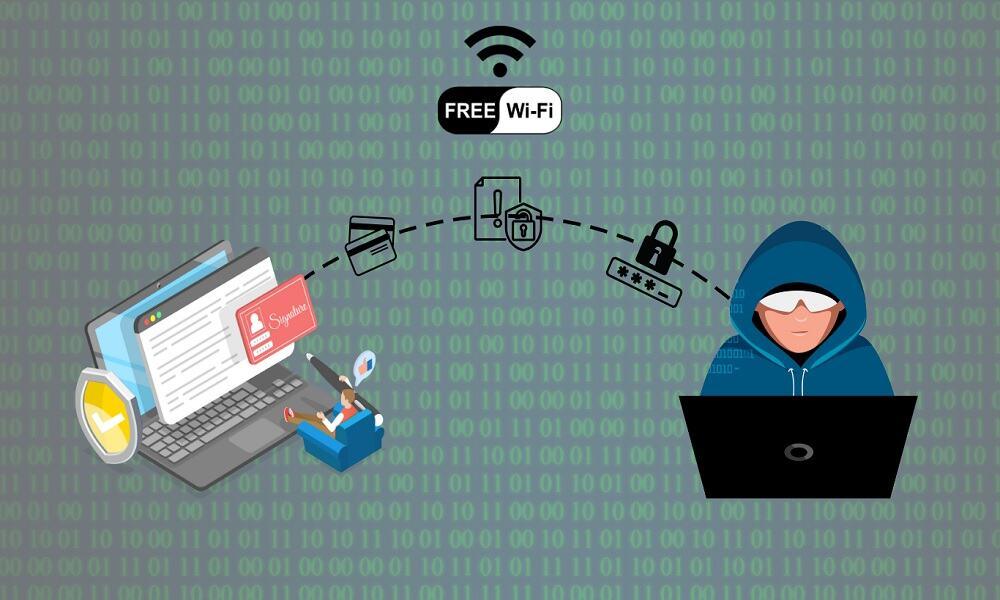
If you're on the same Bluetooth or Wi-Fi network as the target phone, you may be able to intercept certain data, such as messages or location, using specialized tools. However, this method is complex and requires technical expertise.
How It Works:
- Wi-Fi sniffing tools can analyze network traffic.
- Bluetooth vulnerabilities can expose nearby devices.
Pros:
- Can capture some data from the target phone.
Cons:
- Requires advanced technical skills.
- Only works within close range.
Expert Insight
In practical testing, no-installation monitoring methods generally fall into two categories:
- Account-based methods (such as iCloud or Google services), which depend on access to cloud credentials.
- Location-only methods (such as carrier tracking or Find My Device), which provide limited visibility.
Users looking for messages, call logs, social media activity, or continuous monitoring typically need a dedicated monitoring platform rather than basic cloud tracking tools.
What You Cannot Do Without Installing Software
Without installing software, most methods cannot provide continuous access to private app data, real-time messages, or complete activity history. Available features usually depend on cloud backups, account permissions, and device settings.
FAQs on Monitoring a Cell Phone without Installing Software
Here are common questions about monitoring a phone remotely without installing additional software:
1. How can I spy on a cell phone without installing software on the target phone for free?
There are a few ways to spy on a cell phone without installing software for free, such as using iCloud tracking (for iPhones), Google Find My Device (for Android), or carrier-based tracking services.
However, most free methods only provide location tracking and do not offer access to messages, calls, or apps. For advanced monitoring, premium solutions like SafeMyKid provide a free trial.
2. How can I monitor an Android phone without installing software for free?
If you're looking for a free way to monitor an Android device without installing software, your best option is Google Timeline or Find My Device, which allows you to track location without software installation.
However, if you need advanced tracking (calls, messages, app usage), you may need SafeMyKid, which requires a one-time installation on Android.
3. How can I monitor an iPhone without installing software?
For iPhones, iCloud monitoring is one option for accessing available cloud-based information without installing an app.
However, two-factor authentication (2FA) may block unauthorized access. SafeMyKid offers a no-installation solution for iPhones using iCloud sync.
4. What information can I access without installing software on a phone?
In most cases, no-installation methods provide access to location history, cloud backups, device status, and account activity. Access to messages, calls, and app content usually depends on available cloud backups and account permissions.
5. Can I monitor a phone remotely without installing software?
Completely free and remote phone spying is nearly impossible unless you have cloud credentials (iCloud for iPhone or Google for Android).
Even then, you will only have access to location data and limited phone activity. If you need remote monitoring with more features, SafeMyKid offers a free trial.
Conclusion
If you are wondering how I can spy on a cell phone without installing software on the target phone, the answer depends on the device type, available account access, and the level of monitoring you need.
Free methods like iCloud monitoring, Google Find My Device, and carrier tracking services can help with basic information such as location or cloud-based data, but they usually have limitations when it comes to accessing messages, calls, and app activity.
For users who need broader monitoring features, solutions like SafeMyKid provide additional tools for managing device activity, location information, and digital interactions from one dashboard.
However, always make sure you have proper authorization before monitoring another person's device or accessing private information. Using phone monitoring tools responsibly helps protect privacy while achieving legitimate tracking needs.
 Hot Topics