6 Legitimate Ways on How to Clone a Phone for Free (Android & iPhone)

Phone cloning usually refers to copying data, settings, contacts, messages, and other information from one device to another. Today, most people use phone cloning tools when upgrading to a new phone, creating backups, or restoring important data.
In this guide, you'll learn how to clone a phone for free using several legitimate methods for Android and iPhone. We'll explain what each method can actually copy, its limitations, and when it may be the right choice for your situation.
Important: This guide focuses on legal phone cloning methods for device migration, backup, parental supervision, and authorized device management. Accessing, copying, or monitoring another person's phone without proper authorization may violate local privacy laws.
| If You Want To... | Best Method to Use |
|---|---|
| Clone an Android phone for free when switching to a new device | Official Phone Clone Apps (Huawei Phone Clone, Samsung Smart Switch) |
| Back up contacts, photos, and settings to the cloud | Google Account Sync |
| Clone text messages and call logs only | SMS Backup & Restore |
| Transfer photos, videos, and files between nearby devices | Bluetooth or NFC Transfer |
| Monitor and synchronize data from a device you own or are authorized to manage | SafeMyKid |
| Transfer a phone number to another SIM or eSIM | Official Carrier SIM Replacement or eSIM Transfer Service |
Quick Summary: If your goal is simply moving data to a new phone, official phone cloning apps are usually the fastest free option. For cloud backups, Google Account Sync works well on Android.
If you only need to transfer messages, SMS Backup & Restore is often sufficient. Users looking for ongoing monitoring and data synchronization on devices they are authorized to manage may prefer SafeMyKid.
Is It Really Possible to Clone a Phone for Free?
Yes, it's entirely possible to clone a phone for free using the right methods. With free cloning apps, backup tools, or cloud sync features, you can duplicate everything from contacts and call logs to text messages and even app data.
Whether you want to clone an Android phone, transfer data to a new device, or create a backup of important information, several free tools can help. However, most legitimate cloning solutions require either device access, account authorization, or user consent.
Common Reasons People Clone a Phone for Free
Phone cloning can serve several everyday purposes. Some of the most common reasons include:
- Phone upgrade: Quickly transfer all your apps, settings, messages, and data to a new device.
- Child monitoring: Parents may clone their child's phone to ensure they're safe from online threats or harmful content.
- Data recovery: Restore lost or deleted messages, call logs, or media from an older phone.
- Phone tracking: Keep a backup in case your phone is lost or stolen.
- Device management: Parents and device owners may use synchronization tools to review activity records on devices they are authorized to manage.
Understanding how to clone a phone for free can simplify device migration and data backup while helping users avoid accidental data loss during upgrades.
| Methods | What It Can Copy | Android | iPhone | Cost | Remote Access | Difficulty | Best For |
|---|---|---|---|---|---|---|---|
| Official Phone Clone Apps | Contacts, Messages, Apps, Settings | ✔ | Limited | Free | ✘ | Easy | Moving Data to a New Phone |
| Google Account Sync | Contacts, Photos, Settings, Backups | ✔ | ✘ | Free | ✘ | Easy | Android Backup and Restore |
| SMS Backup & Restore | SMS Messages and Call Logs | ✔ | ✘ | Free | ✘ | Easy | Message Transfer Only |
| Bluetooth / NFC Transfer | Photos, Videos, Music, Documents | ✔ | Partial | Free | ✘ | Medium | Small File Transfers |
| SafeMyKid | Messages, Calls, Locations, Activity Data | ✔ | ✔ | Free Demo & Paid | ✔ | Easy | Authorized Device Monitoring |
| Carrier SIM / eSIM Transfer | Phone Number Transfer | ✔ | ✔ | Varies | ✘ | Advanced | Moving a Number to Another Device |
Quick Take: If you're upgrading to a new phone, official phone clone apps are usually the fastest free option.
Google Account Sync is ideal for Android backups, while SMS Backup & Restore works well for transferring messages.
Bluetooth and NFC are useful for sharing files between nearby devices.
For ongoing monitoring and data synchronization on devices you own or are authorized to manage, SafeMyKid provides additional capabilities.
If you only need to move your phone number, contact your carrier for SIM or eSIM transfer options.
4 Legitimate Ways to Clone a Phone for Free (Pros & Cons)
Whether you're upgrading your device, keeping tabs on a child's phone, or recovering important data, there are several free methods available. Below are 4 easy ways on how to clone a phone for free, including options for Android, iPhone, and even phone numbers.
1. Official Phone Clone Apps (Huawei, Samsung)
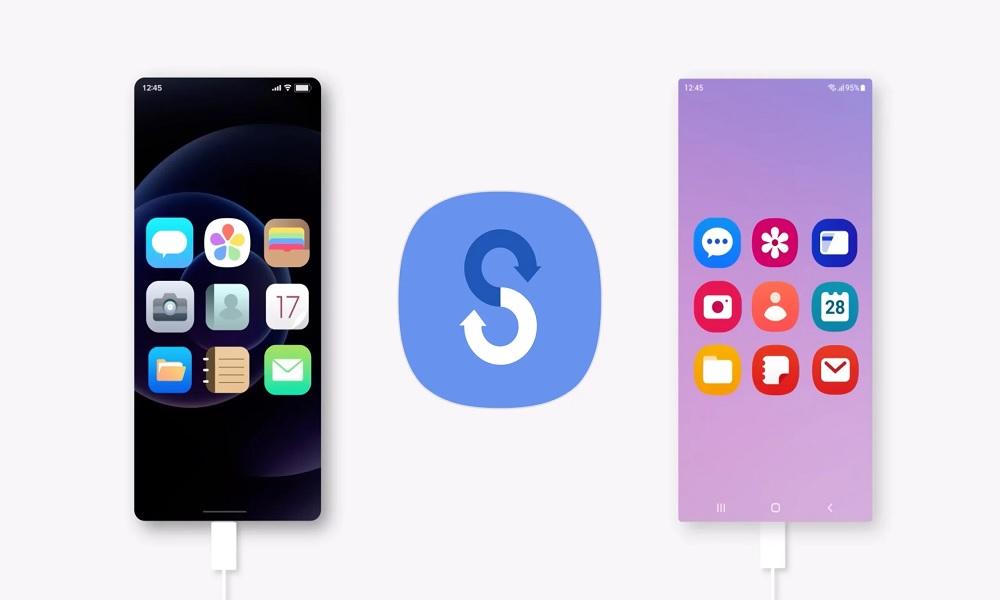
Many phone manufacturers, including Huawei and Samsung, provide their own free phone cloning apps designed for seamless device transfers.
Apps like Huawei Phone Clone and Samsung Smart Switch allow users to copy contacts, messages, apps, call logs, and even settings. These tools are especially useful for users who want to know how to clone a Samsung phone for free or how to clone a phone with Android for free.
Limitations: 
- Works best only when both phones are from the same brand
- May miss certain app data or cross-platform compatibility
2. Google Account Sync (Android Backup)
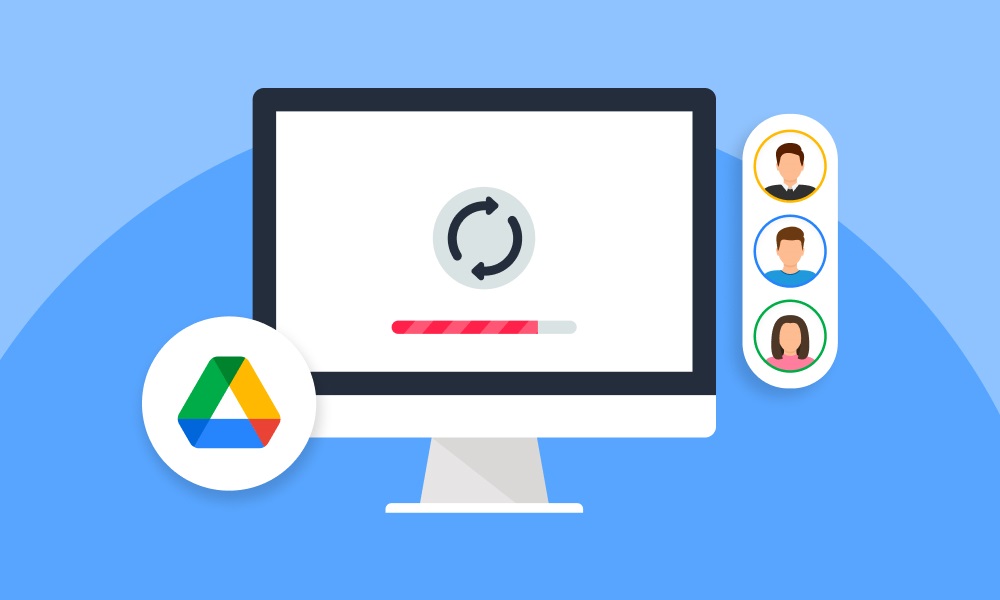
Google's built-in sync service offers a convenient way to duplicate your Android phone's data via the cloud.
You simply log into your Google account, enable backup features, and during the setup of a new phone, restore the data. It's one of the easiest methods for those asking how to clone a phone with Android for free without installing extra software.
Limitations:
- Doesn't back up SMS or app-specific content like WhatsApp messages
- Requires consistent internet and proper account login credentials
3. SMS Backup & Restore (Messages Only)

If your main goal is how to clone a cell phone's text messages for free, this method is one of the most practical. SMS Backup & Restore, available on the Google Play Store, creates detailed backups of text conversations and call logs.
You can export them as files, store them on Google Drive or Dropbox, and restore them on another Android phone. It's ideal for those wanting message access without full device cloning.
Limitations:
- No support for app data, media, or settings
- Only works with Android devices, not iPhones
4. Bluetooth or NFC Transfer
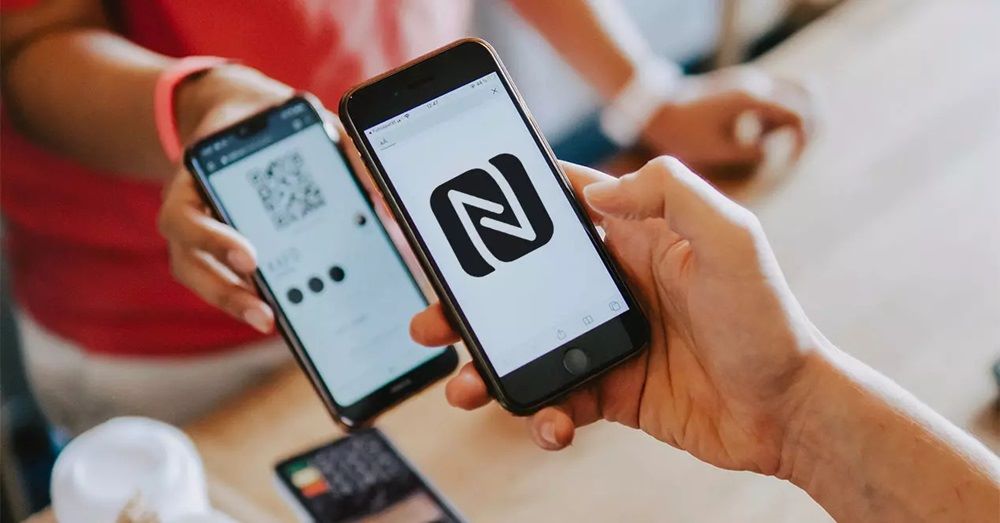
Bluetooth and NFC (Near Field Communication) allow for wireless sharing of files between two nearby devices. Although these methods don't offer full phone cloning, they're sometimes used to transfer photos, contacts, videos, and music manually.
They're handy if you want to move content without using the internet or third-party apps. However, these methods cannot synchronize most system data or provide cloud-based access to information.
Limitations:
- Cannot clone system settings, SMS, or app data
- Slower compared to modern data transfer apps
2 Trusted Ways on How to Clone a Phone
If the free methods mentioned earlier don't meet your needs or feel too limited, these paid solutions offer more advanced features, reliability, and full access to the data you want to duplicate.
Though they come at a cost, they're trusted by users looking for professional-grade monitoring and phone cloning capabilities.
1. SafeMyKid: A Phone Monitoring and Data Sync Solution
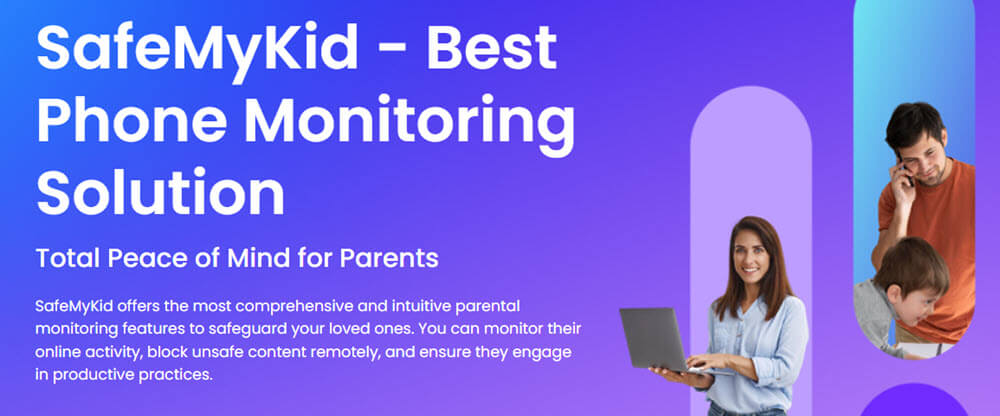
SafeMyKid is a phone monitoring solution designed primarily for parental supervision and authorized device management. Depending on the device configuration, it can help users access synchronized information such as messages, locations, and more.
It provides a user-friendly dashboard that allows users to access synchronized device information and activity records in one place.
Key Features of SafeMyKid That Let You Clone a Phone
If you're looking for a simpler way to synchronize and manage phone data, SafeMyKid offers a user-friendly solution for authorized device monitoring and management.
Here's what SafeMyKid lets you clone from the authorized device:
- Text Messages & Call Logs: Clone all incoming and outgoing messages and call details including timestamps, contact names, and duration. Even deleted texts may be recoverable if synced in time.
- WhatsApp, Facebook & Social Media Chats: SafeMyKid offers direct access to popular messaging platforms like WhatsApp, Messenger, and more. You can clone chat histories, multimedia files, and even message timestamps.
- Live GPS Location & Movement History: The app tracks real-time location updates and stores previous location history, which is essential for cloning movement patterns from the authorized device.
- Contact List & Phonebook Cloning: Synchronize contacts from the authorized device, including saved emails and notes under contact names.
- Browser History & Bookmarks: Clone all web activity, including visited sites, search queries, and saved bookmarks, even if the user tries to clear their history.
- Multimedia Files: Automatically backs up photos, videos, and audio files stored or received on the authorized device so nothing slips past you.
- View Installed Apps: You can see which apps are installed, when they're used, and even get alerts if new apps are added.
These features are accessible through the SafeMyKid dashboard, making device management and data synchronization more convenient for authorized users.
3-Step Setup on Cloning a Phone with SafeMyKid
Cloning a phone might sound complicated, but SafeMyKid makes the process fast, safe, and beginner-friendly. Whether you're trying to duplicate an Android or iPhone, this 3-step setup ensures you can get started quickly without rooting or jailbreaking.
3-Step Setup on Cloning an Android Phone
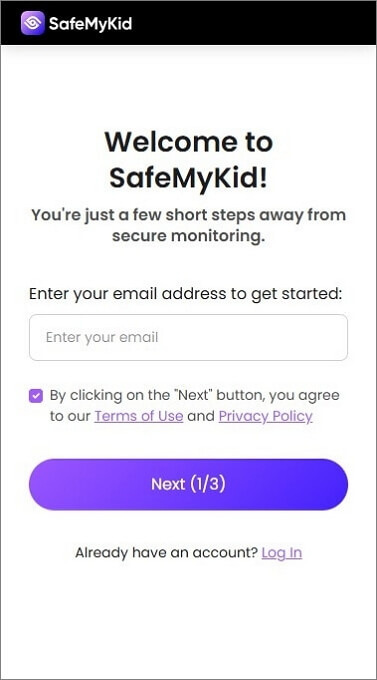
Step 1.Sign up on The SafeMyKid Website
Visit the official SafeMyKid website and create a free account using your email.
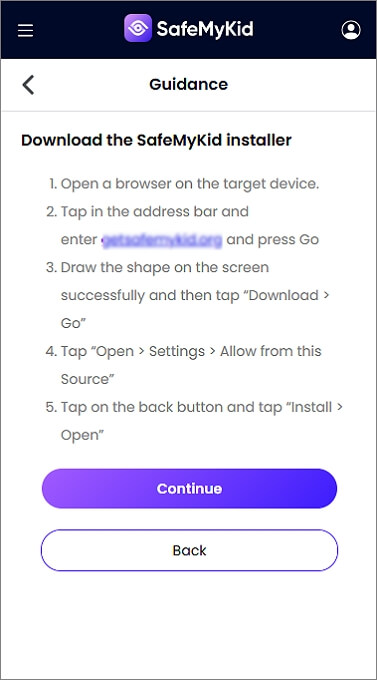
Step 2.Install The SafeMyKid App on The Target Android Device
Install the SafeMyKid app on the authorized Android device and complete the setup process. Once configured, supported device data can be synchronized to your online dashboard for viewing.
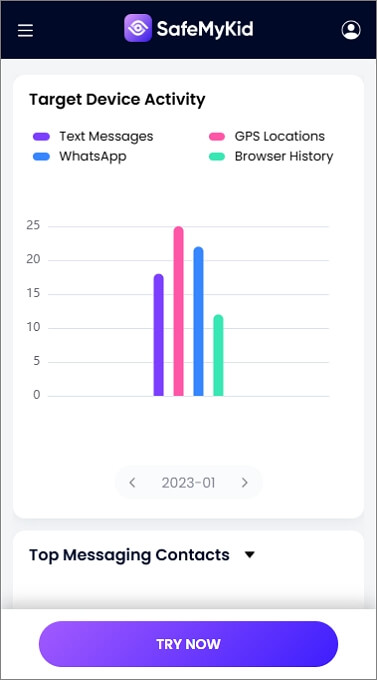
Step 3.Clone an Android Phone in Real Time
Once configured, supported device information can be synchronized to your dashboard, allowing you to review messages, activity records, and other available data.
3-Step Setup on Cloning an iPhone
Step 1.Sign up
Head to the SafeMyKid website and create your account just as with Android.
Step 2.Enter The Authorized iCloud Account Information
If iCloud backup is enabled and you have authorization to manage the account, supported data can be synchronized through the connected iCloud account.
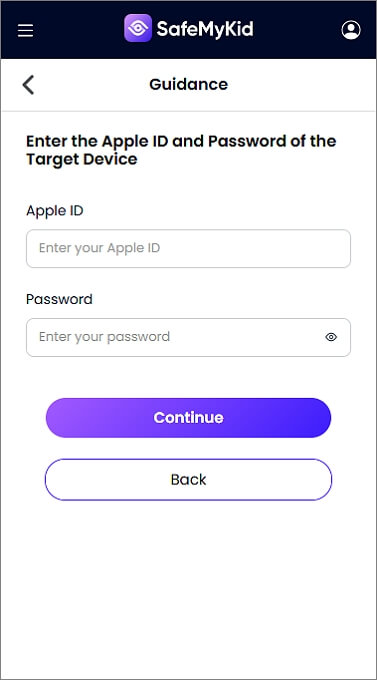
Step 3.Clone an iPhone in Real Time
SafeMyKid automatically begins cloning data such as iMessages, call logs, browser activity, and more from the synced iCloud backup.
SafeMyKid can be a useful option for users who need device monitoring, data synchronization, and activity tracking on devices they own or are authorized to manage.
2. SIM Backup and Carrier Transfer Solutions
Legacy SIM cloning techniques required specialized hardware, but modern carriers generally recommend official SIM replacement or eSIM transfer services instead.
The process requires specialized hardware such as a SIM card reader and writer. If you're wondering how to clone a phone number or how to clone a phone number with a SIM card, note that this technique often crosses legal boundaries.
Limitations:
- Illegal in many jurisdictions unless done by authorized personnel
- Requires expensive hardware and technical skill
Key Things to Consider Before Cloning a Phone
Before diving into the process, it's important to understand that cloning a phone isn't always straightforward. A few critical factors can affect whether the cloning works successfully and legally.
- Check compatibility: Ensure the source and authorized devices support the same transfer method (e.g., Android to Android or Android to iPhone).
- Back up data: Always create a full backup before cloning to avoid accidental data loss.
- Know the legal boundaries: Cloning someone else's phone without their consent may violate privacy laws.
- Get proper permission: Only clone a device you own or have legal authority to manage (like your child's).
Our Experience Testing Phone Cloning Methods
To evaluate the methods in this guide, we tested manufacturer transfer tools, cloud backup services, SMS backup apps, and monitoring solutions on both Android and iPhone devices.
In our testing, official phone clone apps were the fastest option for transferring data between devices, while cloud-based backup services offered the most reliable long-term recovery options. The best method ultimately depends on whether your goal is device migration, backup, or authorized monitoring.
Is It Legal to Clone a Phone?

Cloning a phone is only legal when you have proper authorization. You can legally clone your own device or one you manage, such as your child's phone.
However, cloning someone else's phone without their consent may breach privacy laws and lead to serious legal consequences. Always check local regulations before attempting to learn how to clone a phone for free.
Conclusion
Cloning a phone doesn't need to be costly or complicated. Whether you're trying to transfer data, monitor your child, or recover messages, there are several tools available that make it possible.
From official manufacturer transfer tools to cloud-based backup services and monitoring solutions, there are several legitimate ways to clone a phone for free depending on your needs. Before choosing a method, consider compatibility, legal requirements, and the type of data you want to transfer or synchronize.
FAQs on How to Clone a Phone for Free
Before we wrap up, let's address some of the most common questions people have about cloning a phone for free. These FAQs cover legal concerns, technical limitations, and practical tips to help you move forward safely and confidently.
1. Can I clone a phone that is turned off or not connected to the internet?
No, cloning typically requires the authorized device to be powered on and connected to the internet or the same Wi-Fi network. Offline cloning is only possible with advanced hardware tools, which aren't free or accessible to most users.
2. Will phone cloning affect the original device?
Legitimate phone cloning and transfer tools generally have little impact on device performance. Temporary increases in battery, storage, or network usage may occur while data is being transferred.
3. How long does the cloning process usually take?
It depends on the method used. With apps like SafeMyKid, the setup takes only a few minutes. Full cloning with backup tools or Bluetooth can take longer, anywhere from 10 minutes to several hours, depending on the amount of data being cloned.
4. Will cloning a phone affect the original device's performance?
Cloning typically runs in the background and does not impact performance significantly. However, if you're using aggressive third-party tools, they could cause battery drain or interfere with updates, especially on older Android phones.
5. Can I stop or reverse the cloning process after it's been set up?
Yes, you can. Most apps allow you to uninstall the tracking or cloning software, ending the data mirroring. For some cloning apps, you can log in to your account and remotely disconnect or remove the device at any time.

 Hot Topics