How to Get Your Husband's Text Messages: 7 Proven Ways

Wondering how to get your husband's text messages without causing unnecessary conflict or breaching legal boundaries? Whether you're addressing deep-seated relationship concerns or seeking peace of mind, choosing a reliable and safe method is critical.

When trust becomes an issue, modern tech offers various ways to view communications remotely or directly. In this comprehensive guide, we will evaluate 7 effective methods—ranging from dedicated monitoring tools like SafeMyKid to carrier backups—alongside crucial legal and privacy considerations.
Legal & Ethical Rules to Know Before You Start

Before trying any technique to access text messages, it is essential to understand the boundary between legal tracking and unauthorized access:
- Consent & Ownership: In many jurisdictions, installing tracking software on a phone you do not legally own or without the user's explicit consent is illegal.
- Shared Accounts: Accessing shared iCloud/Google accounts or phone plans you co-own typically carries fewer legal restrictions, though privacy laws vary by state and country.
- Emotional Readiness: Ask yourself if discovering these messages will help heal your relationship or simply accelerate a breakup. Always prioritize safety and open dialogue where possible.
Disclaimer: This content is for educational purposes only. Always consult a legal professional regarding privacy laws in your local area before taking action.
Is It Really Possible to Read Your Husband's Texts?
Yes, it is possible to read your husband's text messages using various modern technologies. With tools like synced cloud backups, monitoring apps, or access to shared accounts, many people can remotely view texts without physically handling the phone every time.
These methods make it easier than ever to stay informed about someone's communications. However, it's important to consider the ethical and legal implications before proceeding.
Just because technology allows access doesn't mean it's always the right choice. Respect, trust, and mutual consent should guide when and how you decide to view someone else's messages.
7 Ways to Get Your Husband's Text Messages
These are the best approaches to reading his texts. We'll start with the most powerful and reliable option:
1. Use SafeMyKid - The Complete Remote Monitoring Solution

If you need a comprehensive, reliable, and continuous solution, SafeMyKid is the top-recommended choice. It allows you to monitor text messages, social messaging apps, and call logs remotely via a secure dashboard.
Key Features of SafeMyKid for Message Viewing:
- Comprehensive Message Access: Views incoming/outgoing SMS, MMS, and third-party chats including WhatsApp, Facebook Messenger, and Instagram DMs.
- Deleted Message Recovery: Captures and backs up text data in real time, preserving messages even if they are immediately deleted on the target device.
- Full Metadata & Multimedia: Displays exact timestamps, contact names, phone numbers, and attached photos or videos.
- Smooth Operation: Runs smoothly in the background on Android devices without triggering notifications or battery drain alerts.
- No Root/Jailbreak Required: Simple setup process designed for non-technical users.
How to Use SafeMyKid to Get Your Husband's Text Messages
When it comes to discreetly monitoring your husband's messages, SafeMyKid makes the process simple and stress-free. Follow these easy steps based on your husband's device type.
How to Get Your Husband's Text Messages on Android
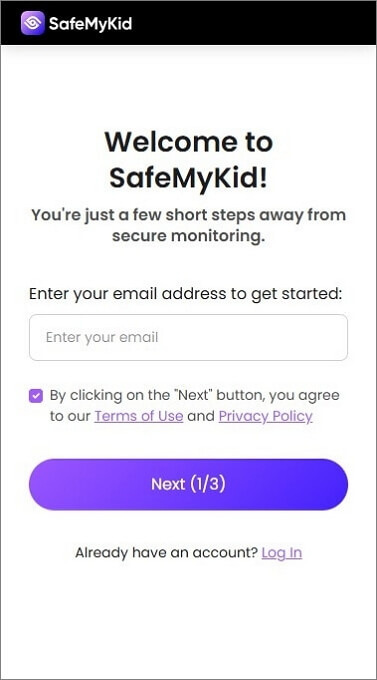
Step 1. Sign up for an account on the SafeMyKid website.
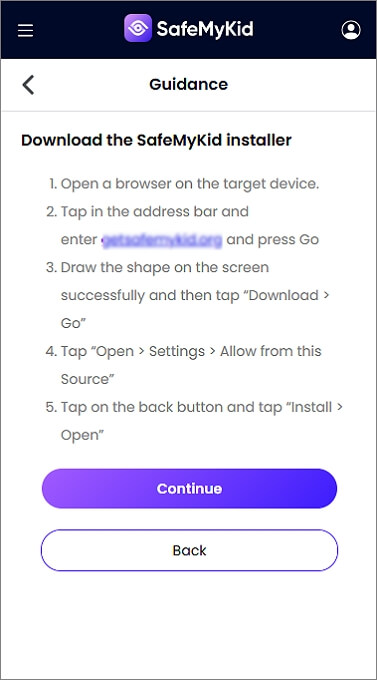
Step 2. Briefly access his phone to install the SafeMyKid app, installation takes less than 3 minutes.
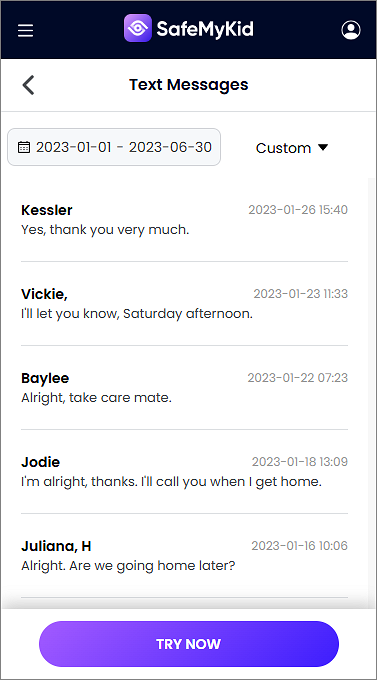
Step 3. Log in to your personal online control panel to get your husband's text messages in real time.
How to Get Your Husband's Text Messages on iPhone
Step 1. Create an account on SafeMyKid website.
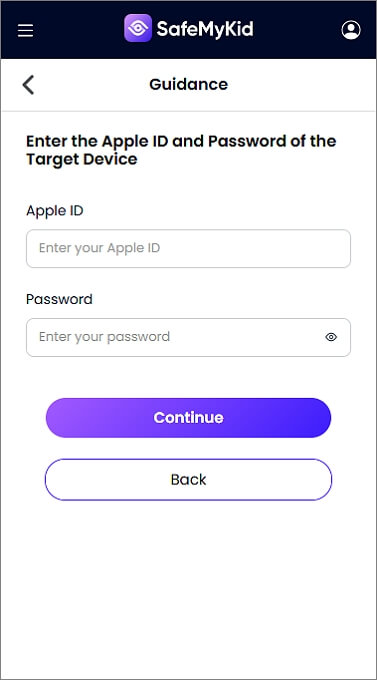
Step 2. Enter his iCloud credentials during setup, no app installation is needed.
Step 3. Get your husband's text messages directly from your SafeMyKid dashboard remotely.
With SafeMyKid, once the initial setup is complete, you won't need physical access to his phone again. Monitoring is seamless, discreet, and always under your control.
2. Sync Messages via iCloud (iOS Devices Only)
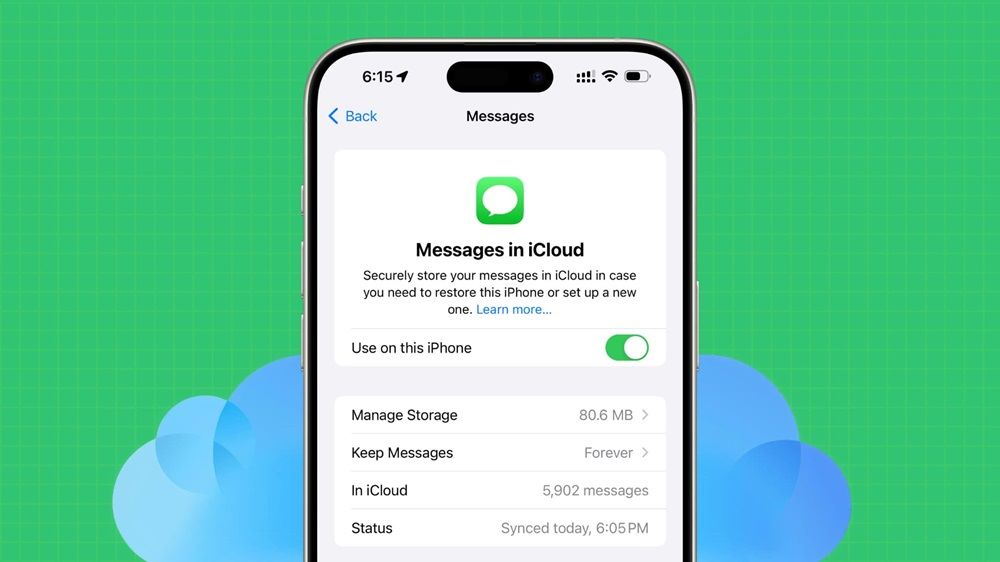
If your husband uses an iPhone and you share or know his Apple ID credentials, Apple’s native iCloud sync enables you to receive his messages on another Apple device (like an iPad or Mac) or via web backup.
How it works:
- Sign in with his Apple ID on a secondary Apple device.
- Enable "Messages" under Settings > [Account Name] > iCloud.
- View incoming iMessages and SMS in real time as long as sync remains active.
Pros: 
- Free and official Apple feature.
- No third-party software installation required.
Cons: 
- Fails if Two-Factor Authentication (2FA) sends a prompt to his phone.
- Does not capture WhatsApp, Signal, or non-SMS third-party apps.
- He may receive a notification that a new device logged into his Apple ID.
3. Restore Google Backup (Android Only)
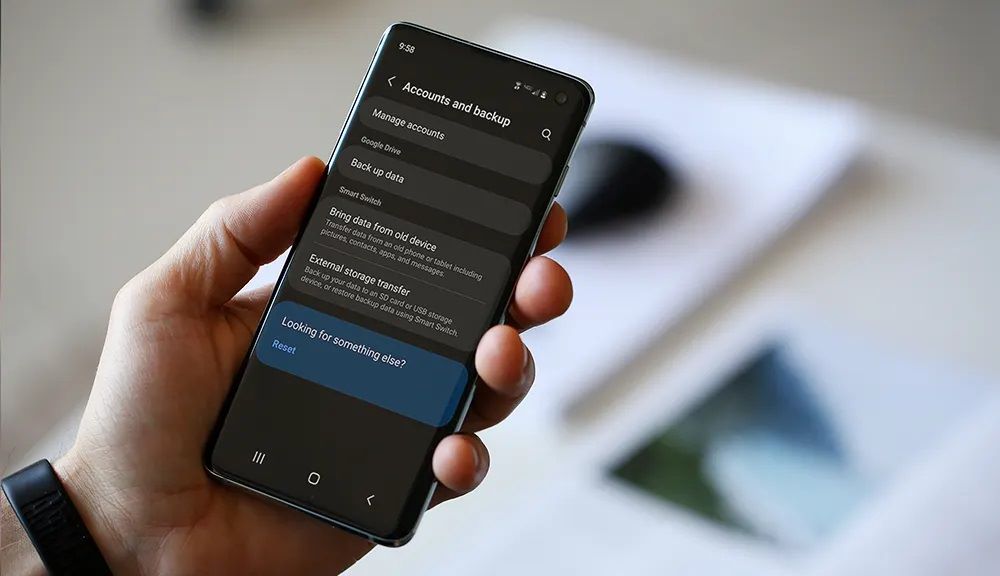
Android smartphones automatically back up system data, including SMS, to Google Drive. If you have access to his Google account credentials, you can check or restore backup files.
How it works:
- Log in to his Google Account on a browser or new device.
- Navigate to Google Drive > Storage > Backups.
- Check if an SMS/MMS backup file is available for restoration.
Pros:
- Uses official Google services.
- Free if you have valid credentials.
Cons:
- Requires Google Account login (may trigger 2FA notification).
- Backups are periodic, not live streaming.
- Cannot read messages directly inside Google Drive without restoring to a device.
4. Link Web/Desktop Companion Apps
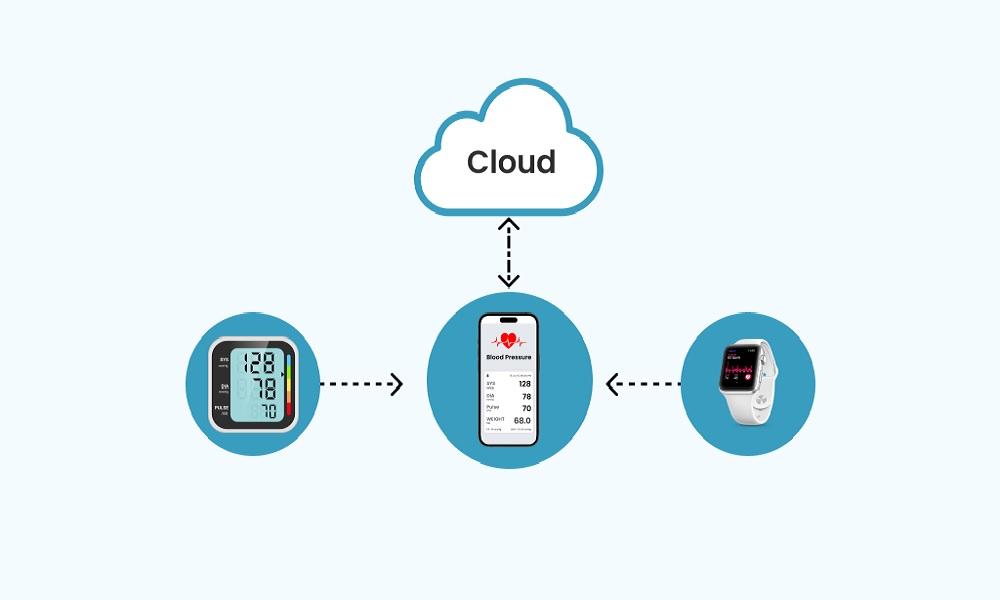
Platforms like Google Messages for Web, WhatsApp Web, and Web Telegram allow users to mirror mobile chats onto a browser. If you can scan the QR code on his phone once, the browser session remains logged in.
How it works:
- Open the web client (e.g., web.whatsapp.com or messages.google.com/web) on your browser.
- Access his phone briefly to open the app's "Linked Devices" or "Pair Device" option.
- Scan the QR code to mirror messages to your browser in real time.
Pros:
- Provides live, real-time message streaming.
- Displays full media files, photos, and voice notes.
- No installation required on the target phone.
Cons:
- Requires brief physical access to scan a QR code.
- Active web sessions display a persistent banner or notification on his phone.
- Sessions can be logged out remotely at any time.
5. Access Cellular Carrier Online Portals

If you are the primary account holder on a shared family plan (e.g., Verizon, AT&T, T-Mobile), logging into your online carrier portal lets you view detailed call and text logs.
How it works:
- Log in to the cellular provider's web portal as the account owner.
- Navigate to Billing & Usage > Detailed Usage / Call & Text History.
- Filter records by line to review incoming/outgoing messaging logs.
Pros:
- 100% legal if you own the billing account.
- No software installation or physical phone access required.
- Provides official timestamps and phone numbers.
Cons:
- Shows metadata only (phone numbers, date, time) - not the actual text content.
- Does not track internet messaging apps like WhatsApp or iMessage.
6. Check The Phone Manually When Unlocked

The simplest approach remains asking or checking his device directly when it's unlocked. While straightforward, it carries risks and only gives a temporary snapshot.
Pros:
- Immediate access without technical knowledge.
- Free and direct access to all messaging apps.
Cons:
- High risk of confrontation if caught.
- Deleted messages cannot be retrieved.
- Not a sustainable, long-term monitoring solution.
7. Hire a Licensed Private Investigator

If you face serious legal issues (e.g., divorce proceedings or custody disputes), hiring a professional private investigator ensures that gathered evidence adheres strictly to court-admissible standards.
Pros:
- Professional, legal, and discreet investigation.
- Provides court-admissible documentation and evidence.
- Covers information beyond digital messaging.
Cons:
- Extremely expensive compared to software tools.
- Time-consuming process.
- Should be considered a last resort.
Comparison: Which Method Should You Choose?
| Methods | Target OS | Show Deleted Texts? | Stealth Level | Best For |
|---|---|---|---|---|
| SafeMyKid App | Android & iOS | Yes | High | Complete & continuous monitoring |
| iCloud Sync | iOS Only | No | Medium | Quick access with known credentials |
| Google Backup | Android Only | No | High | Periodic SMS recovery |
| Web Pairing | All OS | No | Low (Shows notification) | Live chat viewing (WhatsApp/Web SMS) |
| Carrier Account | All OS | No | High | Checking call/text timestamps & numbers |
| Manual Check | All OS | No | None | One-time quick verification |
| Private Investigator | N/A | Varies | High | Legal disputes & court evidence |
When Is It OK to Check Your Husband's Messages?
This depends heavily on your local laws and the context of your relationship. For example:
- If you share the phone account or on the phone, access may be legal.
- If you're trying to protect your children or your marriage from misunderstandings, ethical justifications may apply.
- However, accessing messages without permission may violate privacy laws in some countries or states.
Always weigh the risks and seek legal advice if unsure
What You Might Discover When You Decide to Get Your Husband's Text Messages & What to Do Next
Accessing your husband's messages might reveal truths that either confirm your worries or bring relief. Whatever you uncover, staying calm is crucial. Take time to process the information before reacting.
Depending on what you find, you might consider having an honest conversation, seeking couples counseling, or taking some space to reflect. Thoughtful responses can help protect your relationship or guide you toward healing.
FAQs on How to Get Your Husband's Text Messages
Before we wrap up, here are some frequently asked questions to help clarify any remaining doubts about how to get your husband's text messages safely and effectively.
1. Can I retrieve deleted text messages from my husband's phone?
Yes, in some cases, deleted messages can be recovered. Tools like SafeMyKid may sync messages before deletion, depending on backup settings and how recently the texts were removed.
On iPhones, if iCloud backup is enabled, messages might be restored by accessing the backup. However, be aware that this often requires the user's iCloud credentials or access to the physical device.
2. Will checking text messages disrupt or slow down the target device?
No. Modern data synchronization solutions like SafeMyKid utilize cloud-based APIs and lightweight connection protocols. They operate efficiently in the background without causing system lag, battery drain, or unexpected device pop-ups.
3. Is it legal to access someone else's text messages on a shared account?
Legal standards depend heavily on your local jurisdiction and account ownership. Generally, accessing messages on a device or phone plan you legally own or co-manage carries fewer restrictions. However, we always recommend reviewing local privacy guidelines or seeking legal advice before proceeding.
4. Can I see my husband's text messages if we are on the same phone plan?
Some mobile carriers allow shared users on a family plan to view limited account activity like call logs or data usage, but not the content of text messages.
For full message access, you would still need a third-party solution like SafeMyKid or access to the device's backups (e.g., iCloud or Google Drive).
Conclusion
Uncovering the truth about your relationship shouldn't be an overwhelming or stressful journey. When trust feels uncertain, taking constructive action to gain clarity can give you the answers and peace of mind you deserve.
Understanding how to get your husband's text messages responsibly allows you to protect your emotional well-being while respecting key legal and ethical boundaries.
Whether you choose account cloud syncing, official carrier logs, or a complete management software like SafeMyKid, select the approach that best matches your situation and technical comfort.



 Hot Topics